
Human in the loop automation: gate the agent, ask the user
The approval gate is half of human in the loop automation. The other half feeds judgement, taste and what users actually experienced back into the agent.
August 16, 2026
Godefroy
- Human in the loop covers three jobs: approving an action, supplying the judgement, taste or expertise no document holds, and feeding real user reactions back afterwards.
- Almost every tutorial stops at the approval step. That step caps throughput at the reviewer’s capacity, and it only ever sees what the agent produced.
- Thumbs-up ratings and forms rarely close the feedback loop: low response rates, no “why”, written answers too short to work from, and a biased slice of respondents.
- Asynchronous voice interviews close the feedback loop without a meeting. The agent creates them over MCP, reads the summaries back, and the whole thing runs on a routine.
An agent that drafts emails is a demo. An agent that sends them is a decision. The moment you cross that line, someone on the team asks who checks the output, and the answer is almost always an approval step.
That step is real work and it catches real mistakes. It only takes you half the way, though. Human in the loop automation has a second half that most teams never build, and it is the one that decides whether the agent gets better after week one.
Human in the loop and its three jobs
Human in the loop automation is any point in an automated workflow where a person takes part in what the AI does. Before the action, a human approves what the agent is about to do, or supplies the context, expertise or judgement it lacks. After the action, the experience of real users comes back and corrects the agent. Most teams build the approval and stop there.
The phrase comes from machine learning, where a person labelled the data a model trained on. In an agent workflow it took on a narrower sense: the human acts on a run in progress rather than on the training data.
Those three jobs get confused constantly, and it costs teams a lot.
Approval is what human in the loop means in practice for most teams. The frameworks ship it out of the box, so it is usually the only one that gets built.
Consultation comes in when the agent hits something no document holds: a judgement on what is good or off, taste, deep expertise, an opinion, the lived experience of someone who has actually done the work. It asks instead of guessing. The frameworks support this as well as they support approval. What teams do with it is ping one person in Slack, which works exactly as long as one person’s knowledge is enough.
This is the role that applies most widely, because it assumes nothing about the agent talking to customers. An agent that writes, triages a backlog or picks a product direction needs the same things: someone to say what rings true, what has already been tried and failed, what it is like to live with the problem every day.
Feedback lands somewhere different: in the agent’s context, its prompt, its rules. Nothing is blocked here. The loop closes later, with information the approver never had.
You will also see “human on the loop”, which describes someone watching a running system without approving each step, stepping in when something looks off. It sits between approval and feedback: supervision without a gate.
Approval and feedback fail in opposite ways, which is why the distinction matters. A missing gate lets a bad action through once. A missing feedback loop lets the same mediocre action through forever, correctly approved every time.
The three wire into different points of the system: consultation and approval before the action goes out, feedback once it has reached someone.
flowchart TD
    A[Agent] -->|a question| C{{Consultation<br/>judgement, taste, expertise}}
    C -->|the answer| A
    A -->|proposed action| V{{Approval<br/>a human validates}}
    V -->|rejected| A
    V -->|approved| X[Action runs]
    X --> U[End user]
    U --> R{{Feedback<br/>what the user experienced}}
    R --> P[Context, prompt, rules]
    P --> A
The approval gate, and where it stops
The mechanics are well understood. In LangGraph, a node calls interrupt(). The executor serializes the full state to a checkpoint, unwinds the call stack cleanly, and waits. A person approves, edits or rejects, and the run resumes from that exact checkpoint. In n8n, Zapier or Temporal, the same idea shows up as a wait step that posts to Slack and holds the branch until someone clicks. This part of the problem is solved.
A gate catches what is visibly wrong at the moment of the action: the email going to the wrong list, the refund with two extra zeros, the migration script pointed at production, the claim the product cannot back. On anything irreversible, it earns its cost immediately.
The gate has three limits.
It caps your throughput at one human’s attention. An agent that could run forty times an hour, sitting behind a reviewer who processes forty approvals a day, runs forty times a day. The gate becomes the schedule.
It assumes the reviewer stays sharp. Emre Turan’s June 2026 paper Oversight Has a Capacity makes the argument directly: reviewer attention degrades over a session, so oversight quality is a resource that depletes rather than a constant you can design around. The effect has a name, automation bias, and Dr. Fern Halper of AI Foundations Group puts it plainly in TechTarget: “people just believe what comes out, and they’re willing to trust it. That’s a problem.” Deloitte’s State of AI in the Enterprise 2026 report puts the share of companies with a mature model for governing AI agents at 21%. The gate gets installed in far more places than the discipline to staff it.
It only ever sees the output. This is the structural one. The reviewer reads the draft and judges whether it is accurate, well-written, on-brand, and a good reviewer will even flag a sentence that reads condescending. What no reviewer can know is what happened next: whether the reply solved the problem or just closed the ticket, whether the person had already tried the fix it suggests, whether they gave up and called instead. Approval measures the artifact. It says nothing about the reception.
| The approval gate catches | The approval gate misses | |
|---|---|---|
| Factual errors | Yes, if the reviewer knows the domain | |
| Irreversible actions | Yes, this is its core job | |
| Policy and compliance breaches | Yes, against a written rule | |
| What the recipient did next | The reviewer is not the recipient | |
| A correct answer that solved nothing | Correctness is visible, usefulness is not | |
| Slow drift into generic output | Each item passes, the average degrades |

The drift into generic output is the one that hurts over months. Every individual output is fine. Nobody can point at the item that failed. The average output gets blander anyway, because the only signal in the system is one reviewer’s threshold for “good enough to send”.
Three moments where a human belongs
Rather than one gate, it helps to think in moments. Approval and consultation both live during the run, feedback comes after, and one thing comes before all three: giving the agent its context.
Before the run, the human brings that context: the prompt, the rules, the examples of what good looks like, the vocabulary the company uses. Most agent failures come back to context the agent never had, rather than to a reasoning error a reviewer could have caught downstream. Agents most often lack what users say about their problem. The human can add it to the agent’s context before the first run.
During the run, the human arbitrates edge cases and answers what the agent cannot work out alone. This is where the gate belongs, and it works best when it stays narrow. Gate the irreversible and the expensive, let the rest through, because a gate on everything trains the reviewer to click. Teams forget that the human also answers, and an agent that can ask is an agent that stops inventing what it does not know.
After the run, the human closes the loop. Real people used the output, and what they thought goes back into the agent’s context. That is what makes the next batch better rather than merely approved.
| Moment | What the human brings | What it costs | Scales to |
|---|---|---|---|
| Before | Context, rules, examples | Hours, once, then upkeep | Every run |
| During | Judgement on edge cases, and answers the agent lacks | One person’s attention per action | The reviewer’s daily capacity |
| After | The end user’s actual reaction | Depends entirely on the collection method | As far as the method scales |
Giving context and arbitrating edge cases have obvious owners and obvious tools. Closing the loop is where teams reach for a thumbs-up button.
Why a thumbs-up is not a feedback loop
Rating buttons and short forms are the default answer, and they are weak on four axes at once.
Almost nobody answers. NPS surveys average a 12.4% response rate across industries, and in-app prompts land in the 20 to 27% range when they are short and well timed. Your loop is running on a quarter of your users, at best.
A rating also carries no “why”. A thumbs-down tells you something broke and stops there. You cannot fix a prompt from a thumbs-down, so somebody guesses, and the guess goes back into the agent as if it were a finding.
And when someone does write, they write little. People type at around 40 words a minute and speak at around 150, so the same minute of someone’s time returns nearly four times the material, without the effort of composing it. A free-text field gets you two rushed sentences. Five minutes of conversation gets you examples, hesitations and digressions, which are usually the useful part.
Then there is who actually replies. The delighted do, and so do the furious. The majority who found the output mildly off, and quietly stopped relying on it, say nothing at all. That silent middle is exactly where the drift lives.
A conversation carries the why, returns far more material, and lets you pick who you talk to rather than waiting for volunteers. Granted, the response rate depends as much on how you invite people as on the format.
The method is well known. What blocks it is the cost: finding a slot, running the call, taking notes, transcribing. Ten interviews per release is a week of somebody’s job, so in practice it happens once at launch and never again.
Closing the loop without a meeting
That cost is what asynchronous voice interviews remove, and it is why we built Raconte. You describe the interview in a prompt, an AI runs the conversation by voice, the person answers whenever they have a moment, and you get back the transcript, a summary and a sentiment analysis.
For an agent, this is a set of tools like any other. The MCP server exposes six of them, three on interviews and three on invitations, so the agent creates the interview, sends the invitations, then reads the transcripts and summaries back on its own. The MCP usage guide shows the exact phrasing for each call.
The chain holds because both systems are asynchronous. People answer over two or three days, and an agent that already works asynchronously has no problem with that. It moves on and comes back with the material.
In practice, on a support agent that answers tickets:
Monday    The agent handles 200 tickets. 12 are gated and reviewed.          The other 188 go out approved by rule.
Tuesday   A routine picks 20 resolved tickets and creates a voice          interview: "ask whether the answer solved the problem,          what they had to do next, and how the reply felt."          Invitations go out over MCP.
Thursday  9 interviews completed. The agent reads the summaries.          Recurring point: the answers are correct and read like a          policy quote. Three people re-contacted support anyway,          because they could not tell whether their case was closed.
Friday    The prompt gains a rule about stating the ticket status          in plain words, and two verbatim examples of what people          expected. The next 200 tickets run against it.
Nobody scheduled a call. The correction came from the people who received the output, not from the person who approved it. And it reached the prompt, where it changes behaviour, rather than a retrospective slide.
Support is only one case. The same chain holds when the agent talks to nobody outside: an agent preparing specs interviews the three people who shipped the previous feature, an agent weighing a redesign interviews the people who spend their days in the screen it touches. Only the invite list changes.
The same loop runs on a routine. Every release, every quarter, every hundred tickets: the trigger is yours, and it no longer needs a calendar. That is what scales, because adding twenty more participants costs twenty more links.
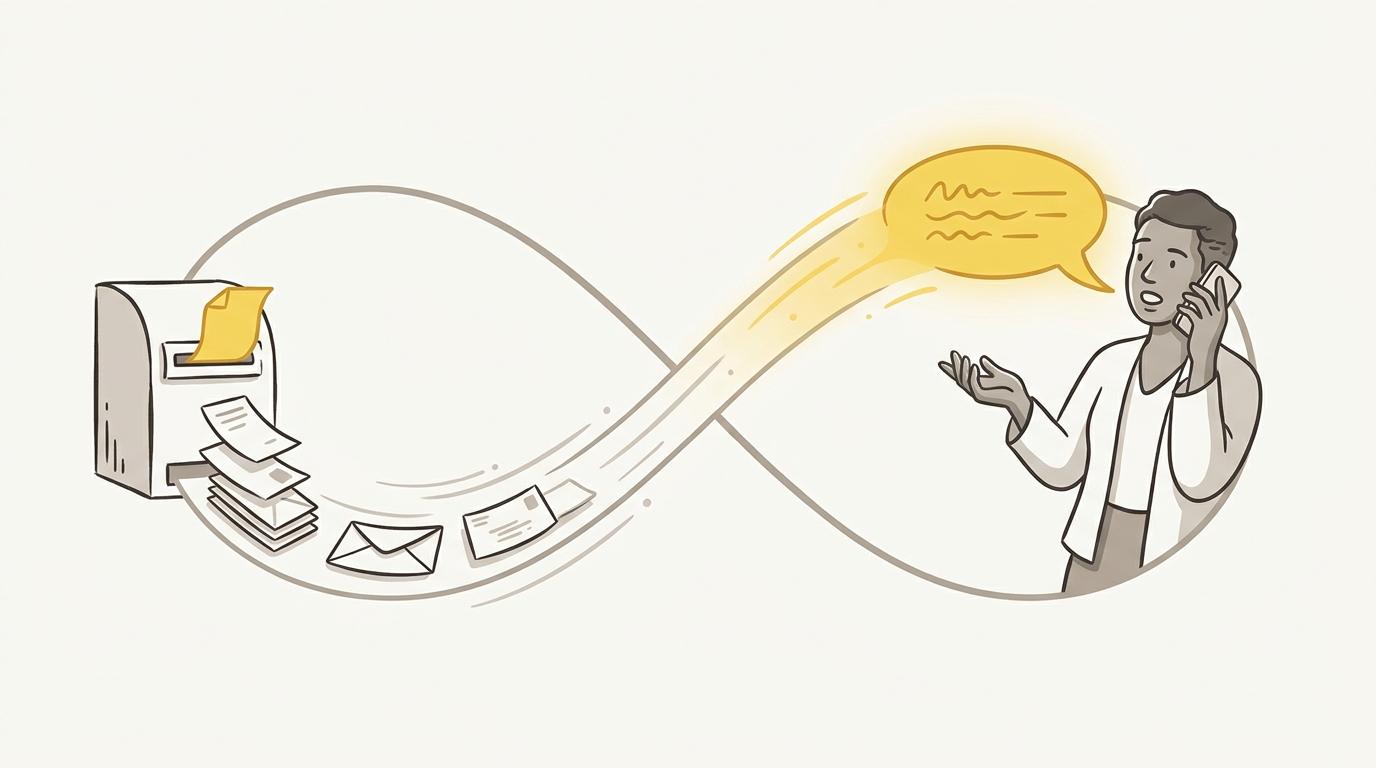
Human in the loop tools, and which half they cover
Very different products ship under this one label, and they solve separate parts of the problem. Naming the category first tells you whether a tool is even in the half you are missing.
| What it is | What the human does | Examples |
|---|---|---|
| Orchestration frameworks with built-in interrupts | Approves, edits or rejects a paused run, from code | LangGraph, Temporal, Orkes Conductor |
| Automation platforms with an approval step | Clicks approve in Slack or by email, no code involved | n8n, Zapier, Make |
| Approval and ask-a-human wrapped around tool calls | Approves a function call, or answers a question the agent raises | HumanLayer, Permit.io |
| Human review on traces and evals | Grades and annotates real past outputs, on a sample | LangSmith annotation queues, Braintrust |
| Data annotation and preference labelling | Labels the data a model trains on | Scale AI, Labelbox, Surge AI |
| In-product feedback widgets | Rates an output, as the end user | Sprig, Hotjar, Pendo |
| Asynchronous voice interviews | Explains what they lived through, or what they know | Raconte |
Orchestration frameworks, automation platforms and approval infrastructure are the same gate in three shapes, and the difference is who owns the workflow. LangGraph and Temporal put the pause in the code, where an engineer resumes it. n8n and Zapier put it on a canvas an ops team can edit. HumanLayer and Permit.io wrap the approval around the function call itself, so the agent cannot route around it even when the model decides to improvise. HumanLayer also exposes contacting a human as a tool the agent can call for an answer, which is the consultation job rather than the gate. Permit.io comes at it from access control, which fits when the question is who is allowed to approve rather than merely whether someone did.
Human review on traces and data annotation look alike, and they sit on opposite sides of the run. Annotation queues in a tool like LangSmith review your agent’s real outputs after the fact, which genuinely belongs to the second half, with one catch: the reviewer is still someone on your team, so it tells you what your team makes of the output rather than what the recipient made of it. Data annotation sits before the model instead, on training data. That is the term’s original meaning, and it remains the largest industry operating under the phrase.
Feedback widgets and interviews are the only ones that reach the person on the receiving end. A widget gets you a rating from them, an interview gets you their reasoning. An interview also covers the consultation job when the answer lives with more than one person: asking twenty customers which of two options they would actually use, rather than taking one expert’s best guess in a Slack thread.
None of this covers everything. A dozen interviews gives you a direction rather than a measurement, so use it to decide what to change and your analytics to decide whether the change worked. A loop that closes in two or three days never substitutes for a gate on an irreversible action. An agent writing its own interview prompt will ask about what it already believes matters, which is why a person should read that prompt before it goes out, with a genuinely open closing question to catch whatever the agent forgot. And some workflows need neither a widget nor an interview: an agent reconciling invoices against a ledger has a ground truth to check against.
Where to start
Building an approval step takes real work: interrupting cleanly, holding the state, resuming in the right place. If you have one running in production, the expensive part is already paid for. Listening to the people who receive the output costs far less, and it is the part that gets skipped. For approved, shipped actions, who has ever asked the person on the receiving end what they made of it?
If the answer is nobody, that is the loop worth building, and it does not require rewiring the agent. It needs a way to have the conversation without booking it. Connecting Raconte takes an API key, plus the MCP server in your client, and your agent can run interviews from its next turn.

