
Introduction
How Raconte works: AI voice interviews, invitations, transcripts.
What Raconte does
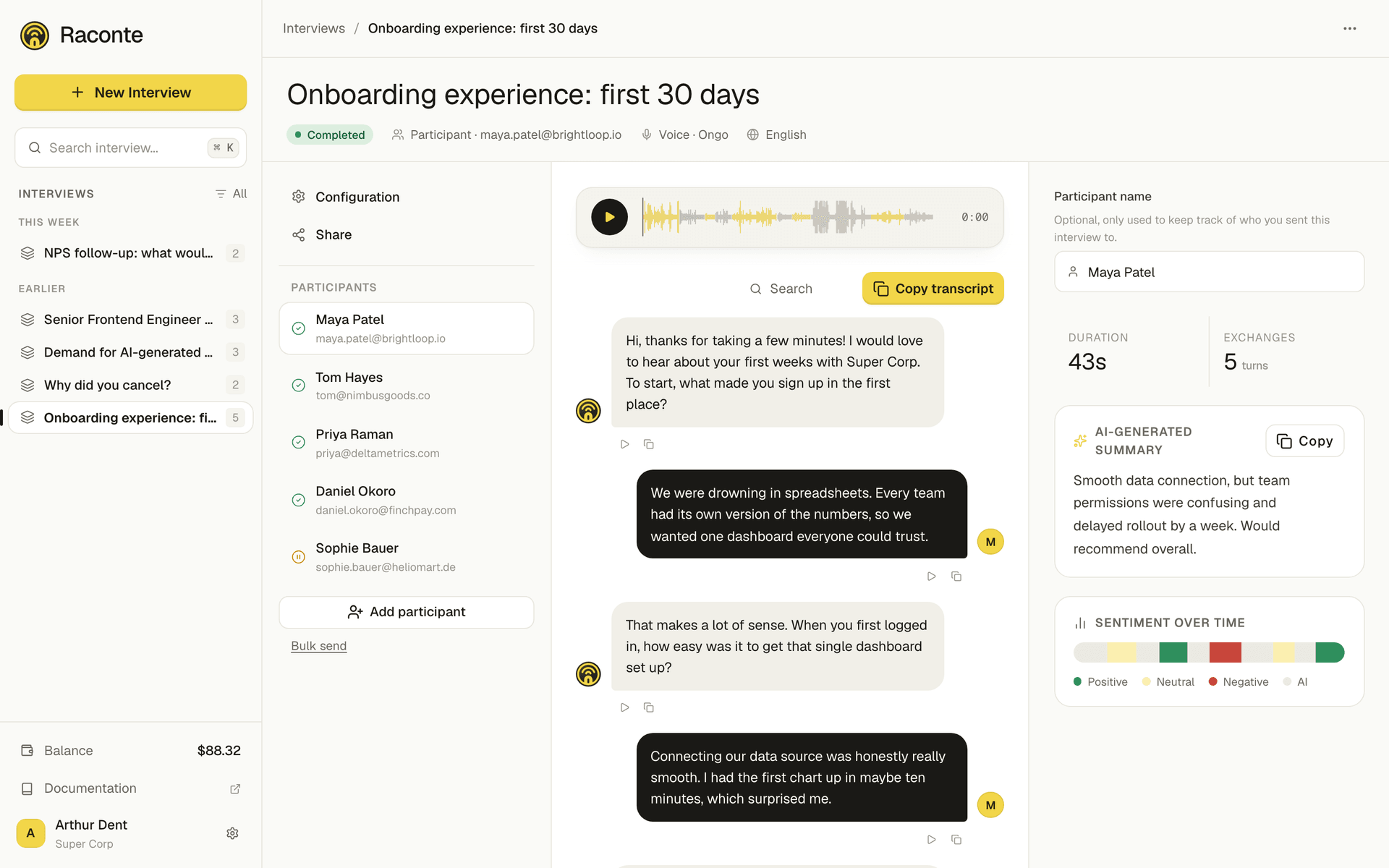
Raconte runs voice interviews powered by an AI interviewer. You write a short prompt (what the AI should ask), send a link to anyone (email or shareable URL), and get a transcript with a summary back when the call ends.
Three concepts to keep in mind:
- An interview is the prompt itself, its language, intro and first message. You can edit it at any time.
- An invitation is one specific call against an interview. It carries the recipient email, a unique slug-URL, and the transcript once the conversation happens.
- A transcript is the message log of one invitation, with per-message sentiment and a generated summary.
The three sit on one screen: the interview on the left, its invitations in the middle, the selected transcript with its summary and sentiment on the right.
Where to go next
| Page | What you will find |
|---|---|
| Getting started | Create an account, send your first interview, read the transcript |
| MCP server | Drive Raconte from Claude, Cursor, Opencode and other MCP clients |
| Webhooks | Receive a POST request when an interview starts or completes |
| Set up the MCP server | Step-by-step per client (Claude Desktop, Claude Code, Cursor, Opencode, …) |
| Developers | API keys, OpenAPI spec, rate limits, versioning policy, SDK and CLI |
Looking for the app?
The product itself lives at raconte.ai. The Documentation covers the concepts and the two automation surfaces (MCP and webhooks).