
Getting started
Create an account, send your first interview, read the transcript.
Create your account
- Go to raconte.ai and sign up.
- Confirm your email address.
- You land in an organization. Every interview, invitation and API key is scoped to that organization.
Send your first interview
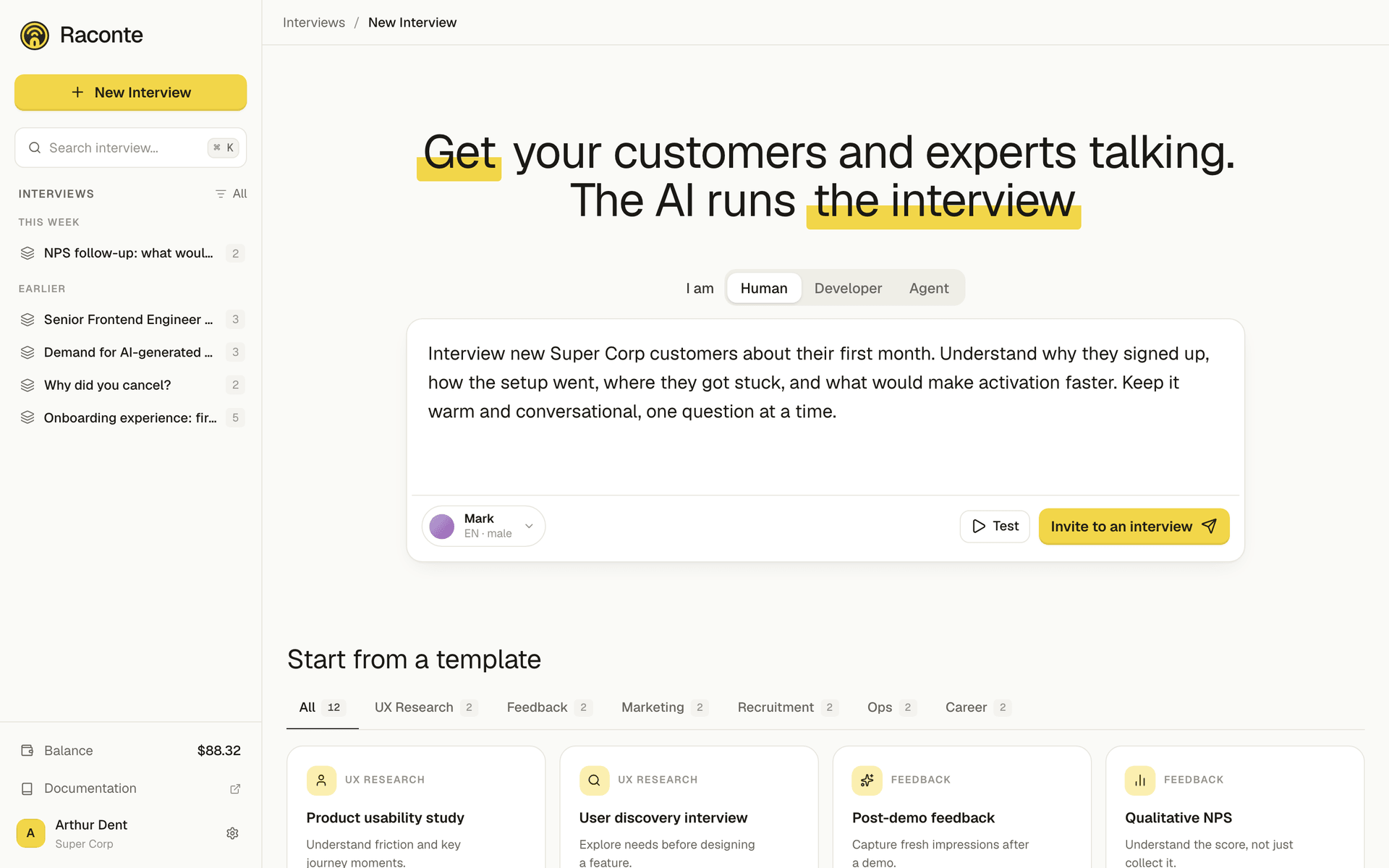
- Open Interviews and click New interview.
- Write the prompt. Tell the AI what to ask: subject, tone, the points it must cover. A few sentences are enough.
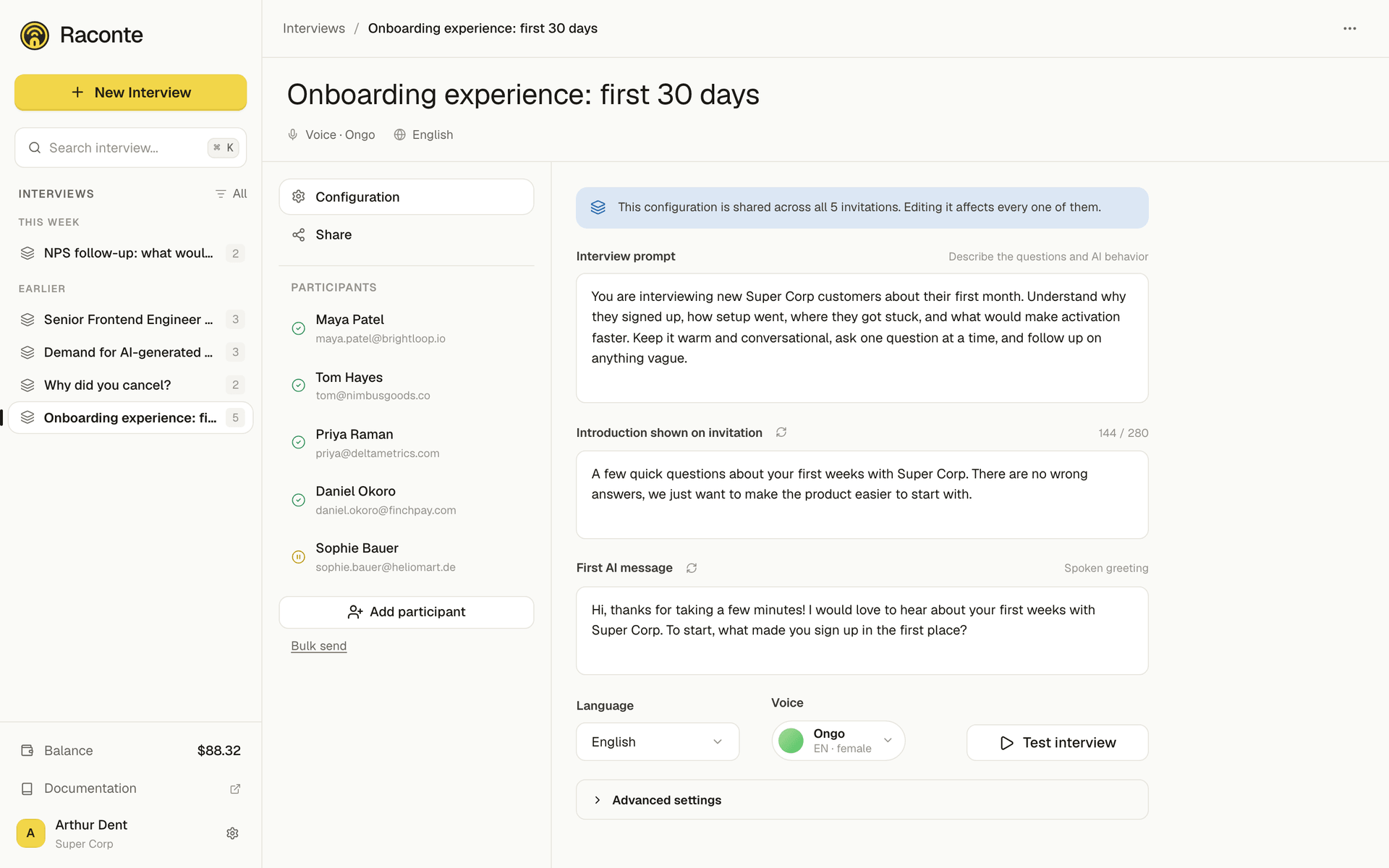
- Pick the language. The AI will speak and the messages will be transcribed in that locale.
- Optionally tweak the title, intro (what the invitee reads before starting), and first message (the AI’s opening line). The AI generates sensible defaults if you skip them.
- Add a recipient by email, or just save and copy the share link to send it manually.
Once the interview exists, the Configuration tab holds everything you can still adjust: prompt, intro, first message, language and voice.
Each invitation has its own page: the single-use link to copy, the email to send it to, and the transcript once the conversation happens.
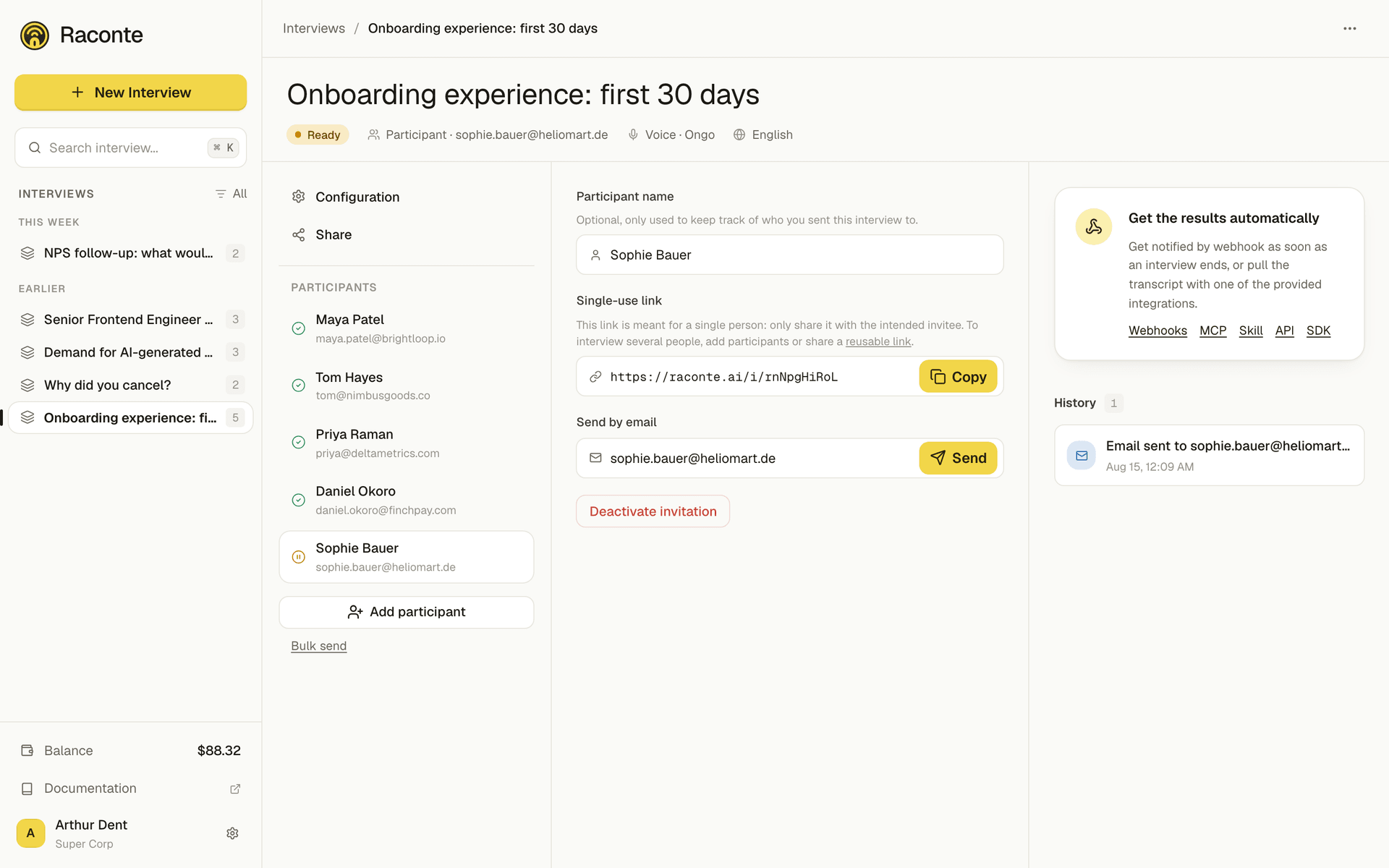
Each send produces an invitation with its own slug-URL. You can send the same interview to multiple people: each one gets their own invitation, their own transcript, their own sentiment analysis.
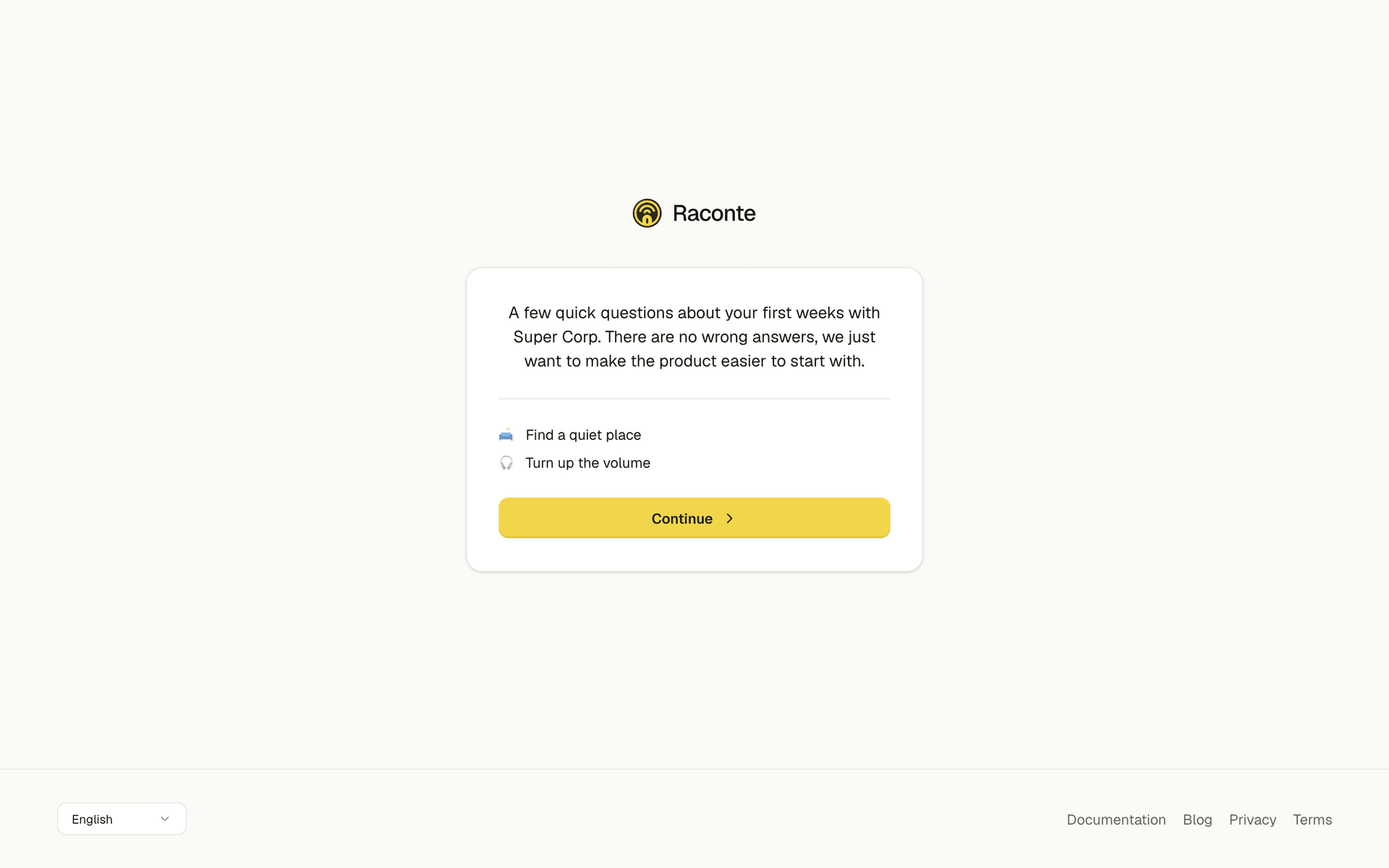
Here is what the recipient opens. No account, no install: they read the intro and allow their microphone. The Raconte AI speaks first, welcomes them and asks its questions out loud; the participant answers out loud too, at their own pace.
During the conversation the screen stays deliberately minimal: an indicator showing who has the floor, the last question asked, and what it takes to pause or switch microphone.
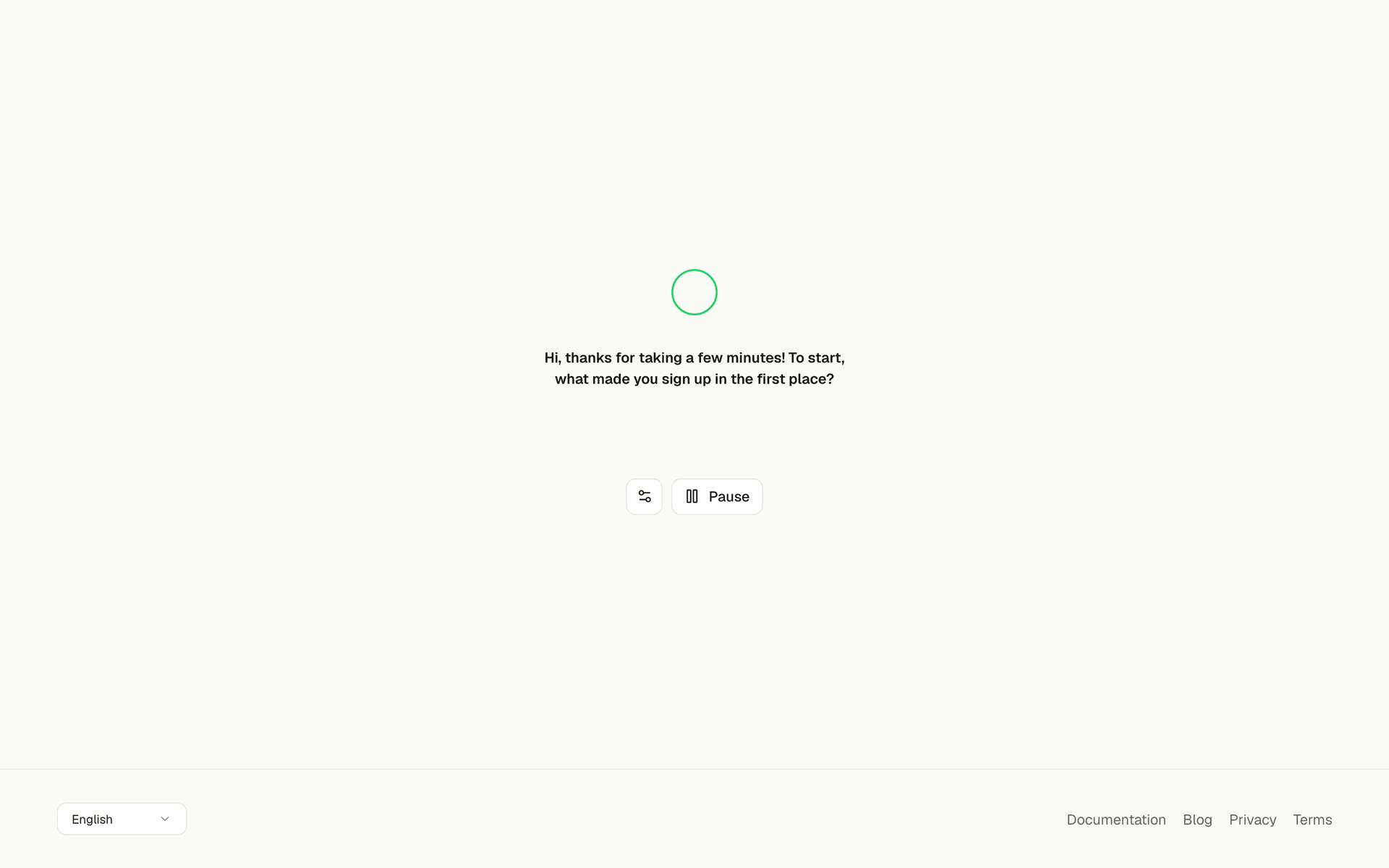
From there you have nothing to watch. As soon as a participant hangs up, the AI analyses the conversation and an email goes out to whoever created the interview, carrying the summary of what was just said and a link to the full transcript.
To notify your agents or automations, set up a webhook: Raconte calls your URL when an interview starts and when it completes, with the transcript in the payload. Enough to file responses into your CRM, your data warehouse or your analytics tool without anyone opening the app. See Webhooks.
Read the transcript
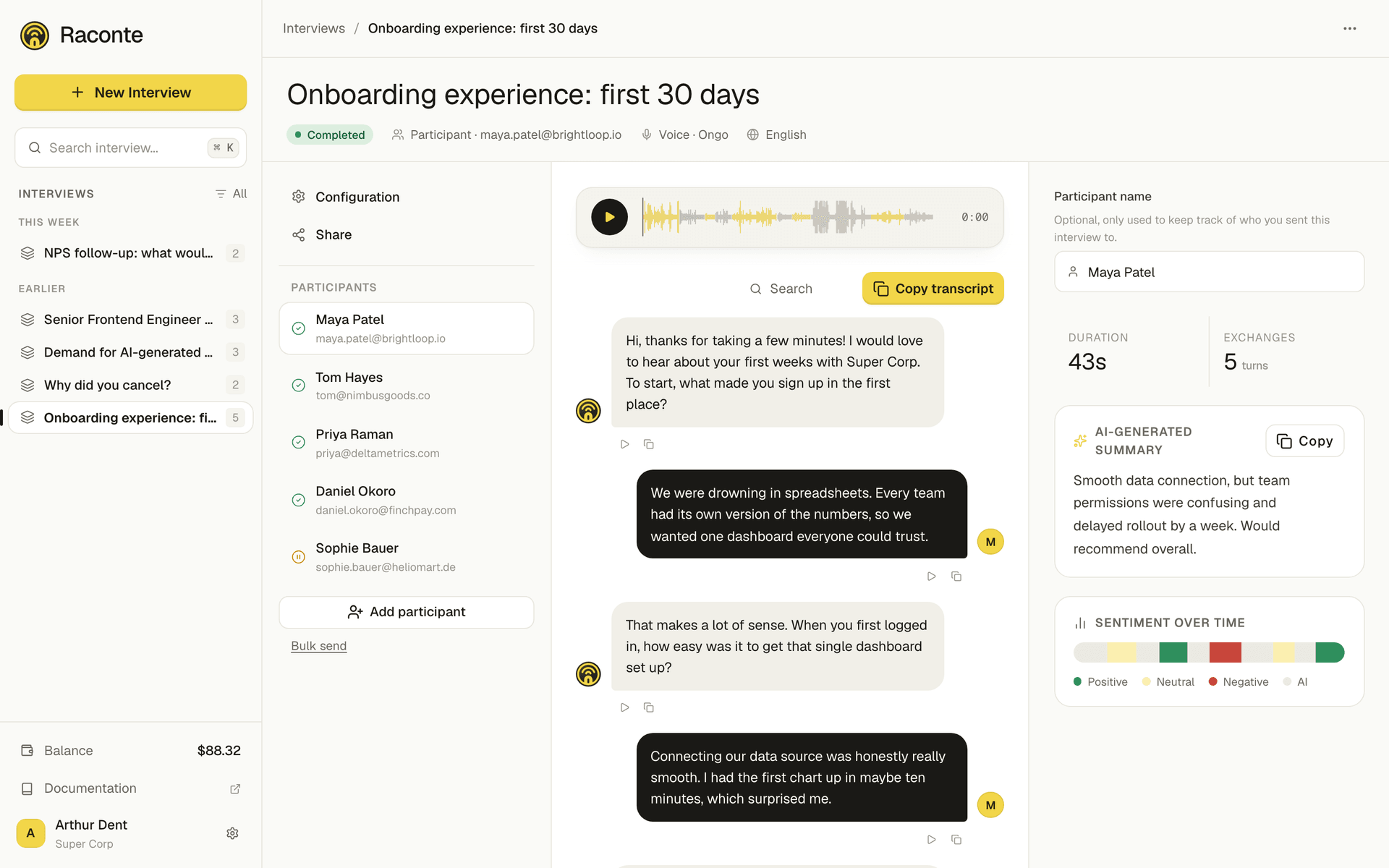
Open an interview to see every invitation it has produced. A green checkmark means the call completed and the transcript is ready.
A transcript contains:
- The full message log (assistant and user turns).
- A per-message sentiment (positive, neutral, negative) on the user turns.
- A short summary of what the respondent actually said. Greetings, fillers, and meta requests are filtered out.
- The audio recording, message by message, when the invitee gave microphone permission.
What to set up next
-
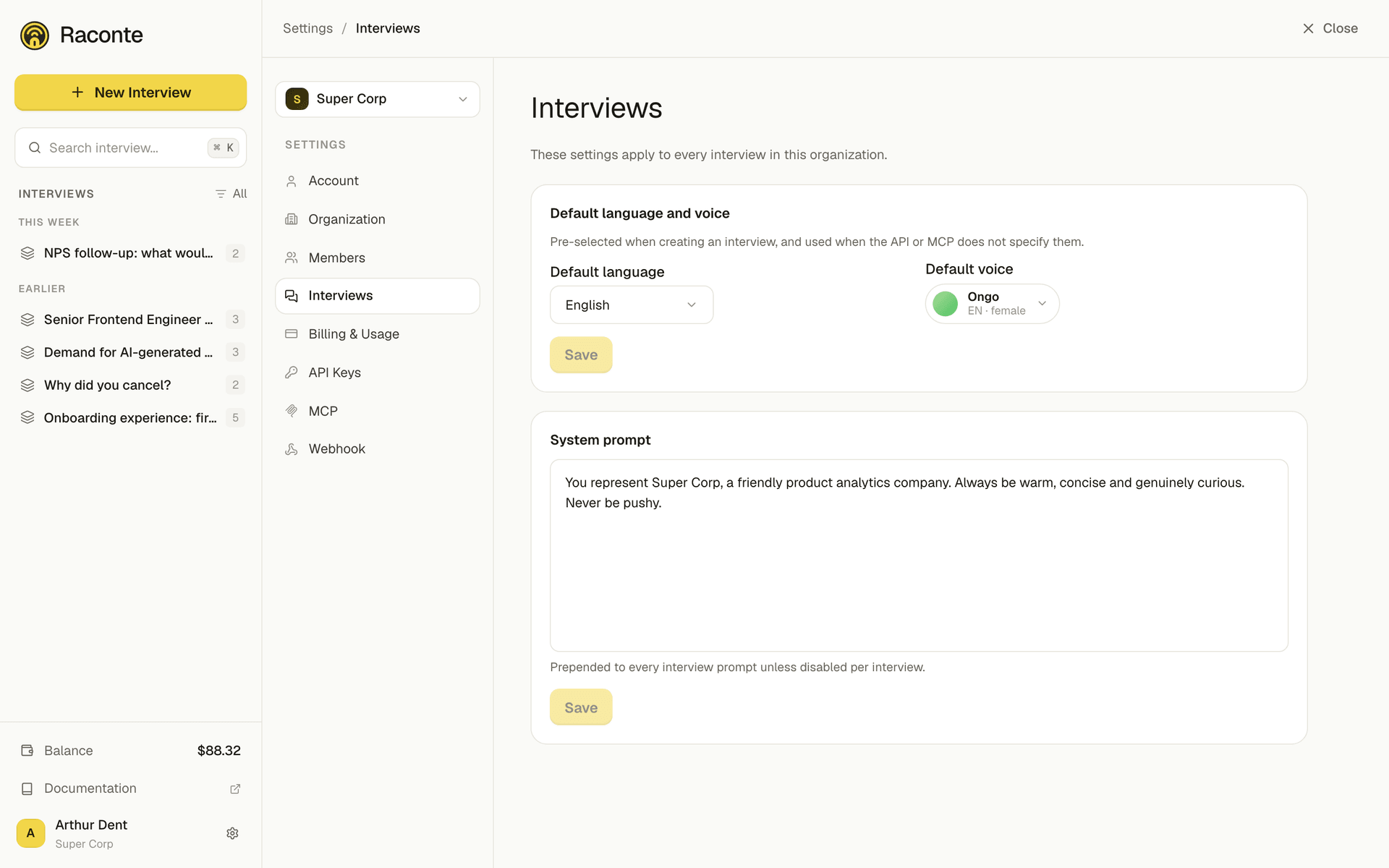
Voice and system prompt. From Settings → Interviews, set an organization-wide system prompt (style, persona, things to always say or avoid). It is prepended to every interview unless you disable it on a specific one.
-
Webhooks. Get a POST request when an interview starts and when it ends. See Webhooks.
-
MCP server. Create interviews, manage invitations and read transcripts from Claude, Cursor or Opencode. See MCP server for the API, Set up the MCP server for the per-client configuration.
-
CLI and SDK. Drive interviews and invitations from the terminal with
@raconte/cli, or from a TypeScript or Node app with@raconte/node-sdk. -
Billing. Top up the wallet from Settings → Billing. Calls are billed by the minute of active speech.
Every organization gets a few free minutes per month. You can run a complete interview without topping up first; the wallet only kicks in once you exceed the free allowance.