Share an interview with a public link
Turn on the reusable public link, pick what the pre-interview form asks, set your limits, and collect responses at scale from a single URL.
This guide walks through publishing an interview as a single reusable link that anyone can open. Each person who opens it runs their own interview, so you collect many responses from one URL, with no per-person sending. For the full reference, see Reusable share link.
When to use it
Use a reusable link when you do not have a fixed list of recipients: a link in a newsletter, a QR code on a flyer, a button on your site, a post on social. When you do have a list (specific people by email), the regular per-invitation send is a better fit.
1. Open the Share tab
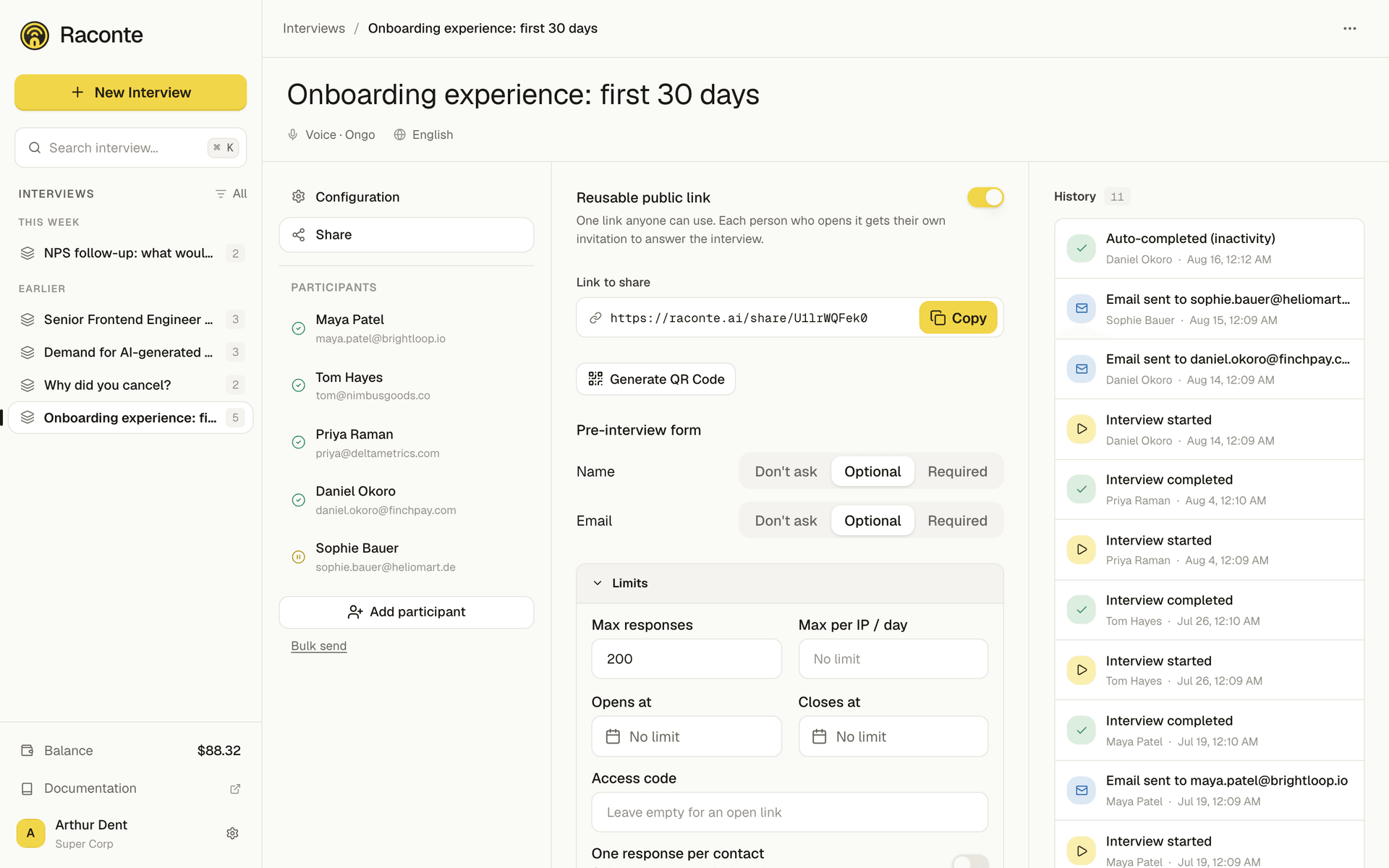
Open the interview, then go to the Share tab. Below the per-person sending options you will find the Reusable public link card. It is off by default.
2. Turn the link on
Flip the toggle. The public URL appears (/share/...). Use Copy to grab it, or Generate QR Code to get a scannable image for print.
The rest of the card, covered by the next two steps, appears with it.
3. Choose what the form asks
For each of Name and Email, pick one:
- Don’t ask for a fully anonymous interview.
- Optional to invite the information without forcing it.
- Required to make it mandatory before starting.
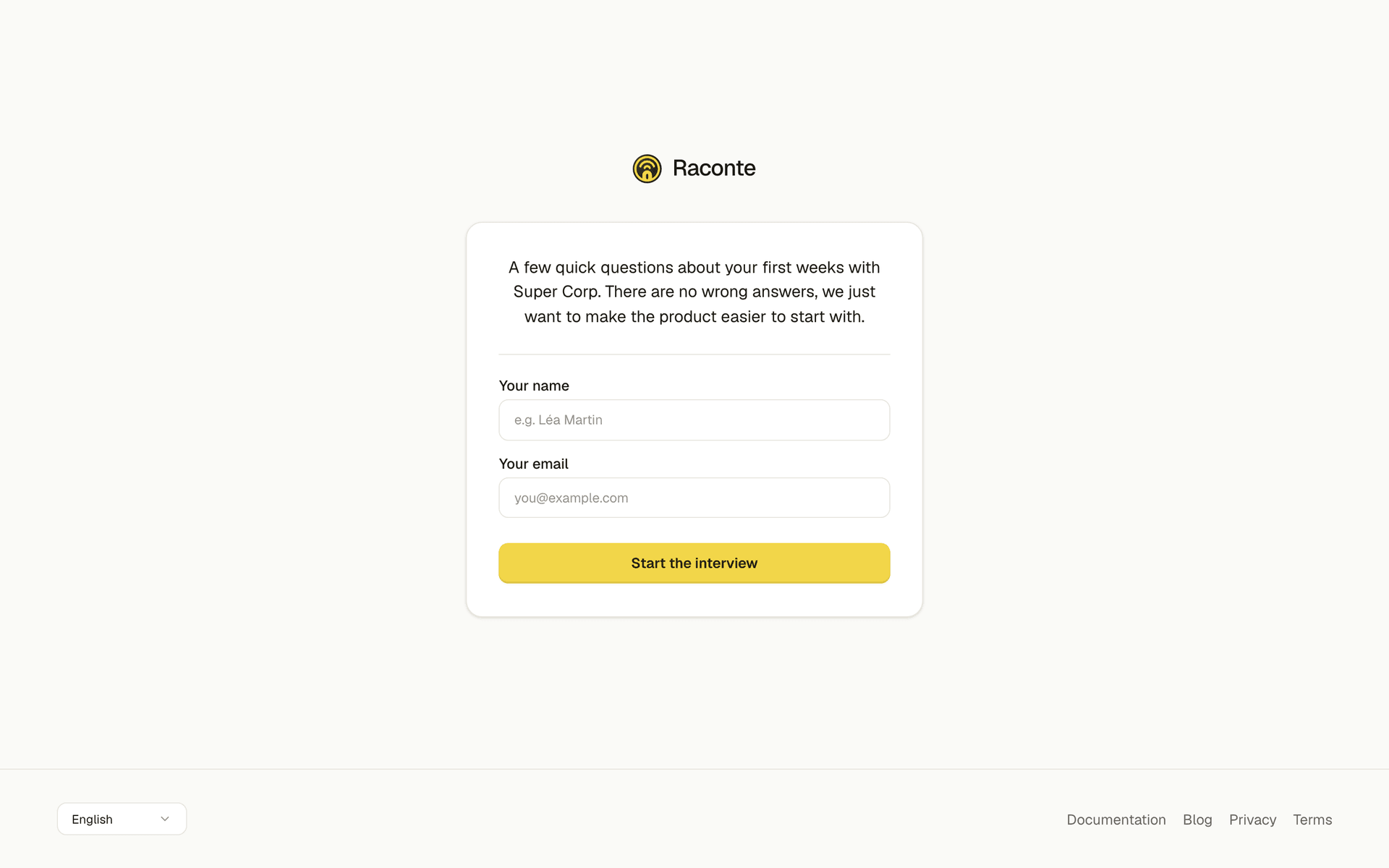
Keep it light: every required field is friction. Ask only for what you will actually use.
Your choice is what the visitor sees when they open the link.
4. Set your limits (optional)
- Max responses: stop automatically after N interviews. The simplest way to cap your spend.
- Opens at / Closes at: run the link only during a campaign window.
- Max per IP / day: a light guard against the same person flooding your data on an anonymous link.
- One response per contact: when you require an email, allow only one interview per person.
- Access code: hand out a code so only people you told can start (a semi-private link).
- Allowed email domains: limit starts to your company’s domains for an internal study. Available only when you set email to required.
5. Share it and watch responses arrive
Send the link however you like. Each completed interview shows up in the interview like any other response, with its transcript, sentiment and summary. The card shows a running count of interviews started via the link.
To turn it off, flip the toggle back: the URL immediately stops accepting new interviews (existing transcripts are kept).
Tips
- Pair Max responses with a clear Closes at date for a clean, bounded study.
- If you collect emails, turn on One response per contact rather than relying on the per-IP cap: it is far more reliable.
- Billing is unchanged: each interview is billed by the minute against your organization balance, and each call is capped by the interview’s max-minutes setting.